


TL;DR: Traditional automation lives inside separate tools or costs $30 per 1,000 tasks through middleware. Luklak’s Universal Automation spans all your functions natively—because everything shares the same automation engine.
Your deal closes Friday afternoon. Monday morning, operations still hasn’t heard.
Not because sales forgot. The automation broke. Salesforce → Zapier → Asana failed silently over the weekend. Your team spent Monday doing manually what should have happened automatically.
The Automation Fragmentation Problem
Most business software handles automation in isolation.
- Salesforce automates Salesforce. When deal closes, update fields, send notification, create task. Within the CRM only.
- Asana automates Asana. When project status changes, move to next section, assign team member. Within project tool only.
- Want cross-system automation? Pay for middleware. Zapier, Make, Workato—$300-3,000/month. Write integration logic. Debug when APIs change. Monitor for silent failures.
Engineering spends 30-40% of resources maintaining connections. Sync delays stretch to 4-48 hours. Workflows break when external APIs update. You’re not automating your business—you’re automating the gaps between disconnected systems.
One Automation Engine, All Functions
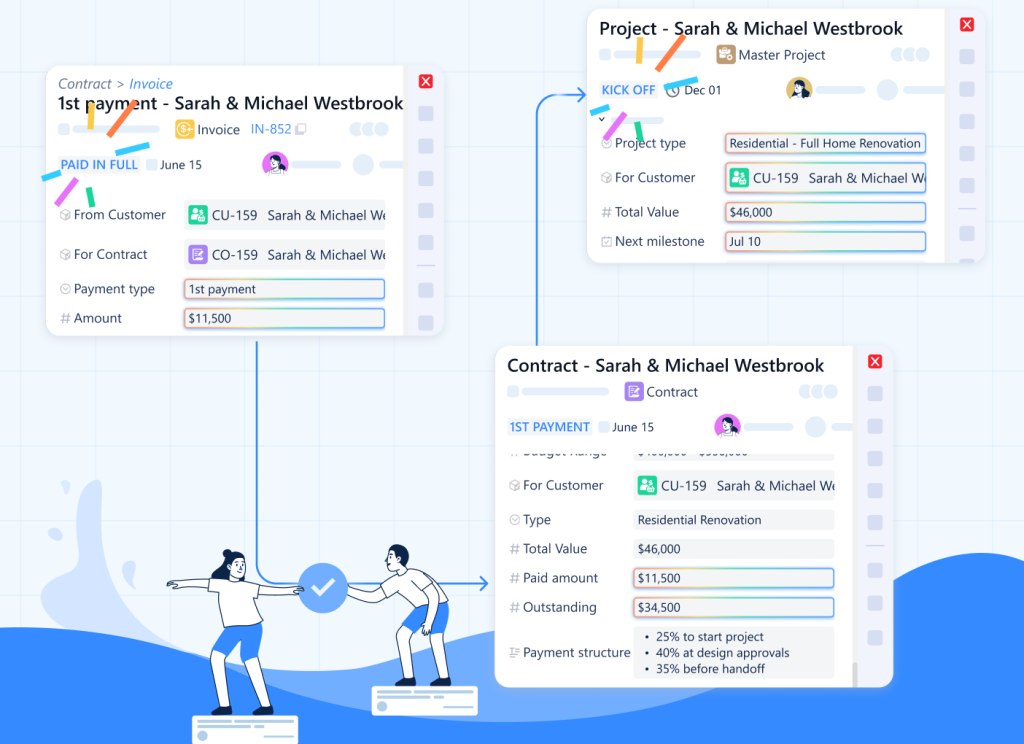
Universal Automation works differently. Because every function you build—CRM, projects, support, finance—uses the same Universal Object foundation, they share the same automation engine.
One rule spans sales, operations, finance, and support. No middleware. No integration APIs.
At LAIKA: When a deal reaches “Closed-Won”:
- Create Project object (operations)
- Assign based on deal type
- Generate Contract object (legal)
- Create first Invoice set to trigger at kickoff (finance)
- Add Customer to quarterly review schedule (account management)
- Send welcome email with portal access (client success)
Six functions. One automation rule. Zero integration code.
How It Actually Works
Universal Automation provides visual rule building:
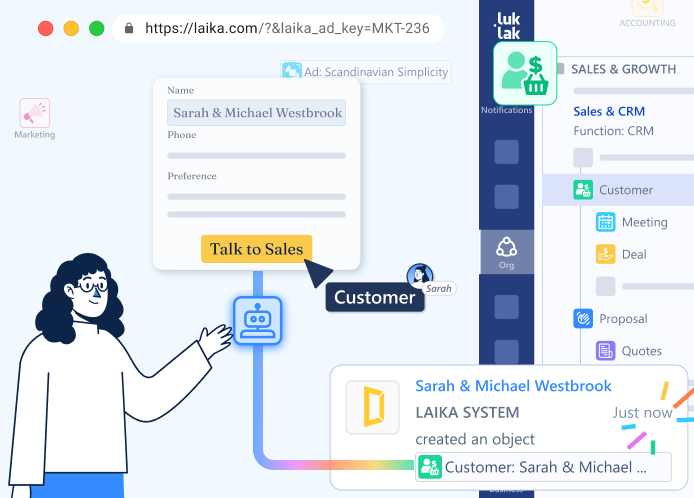
Triggers (when this happens):
- Object enters workflow stage: “When Deal → Closed-Won”
- Field value changes: “When Project Budget > $100,000”
- Time-based: “Every Monday at 9 AM” or “7 days before Due Date”
- Object relationship: “When Customer’s total Invoice amount > $50,000”
Conditions (if these are true):
- Check any field value across current or related objects
- Evaluate formulas: “If Days_Since_Last_Contact > 30”
- Cross-object checks: “If Customer Industry = ‘Construction’ AND Project Type = ‘Commercial'”
Actions (do these things):
- Create new objects (with field mapping from trigger)
- Update fields on current or related objects
- Send chat messages and emails
- Move objects through workflow stages
- Assign to users or teams
Visual builder. Drag conditions. Map fields. Test immediately. No code required.
Cross-Functional Automation Without Integration
- Native cross-object actions. One rule creates objects across multiple functions. Sales automation creates operations objects. Operations updates finance. Support escalates to engineering. No integration logic needed.
- Bidirectional relationship traversal. Automation follows connections automatically. “When Task → Blocked, navigate to parent Project, update status to At Risk, navigate to Customer, notify Account Manager.” One rule. Four object types.
- Bulk automation. “For all Projects where Status = In Progress AND Days Until Deadline < 7, send reminder to assignee and update Priority to Urgent.” Acts across hundreds of objects simultaneously.
Real Implementation: LAIKA’s Customer Lifecycle
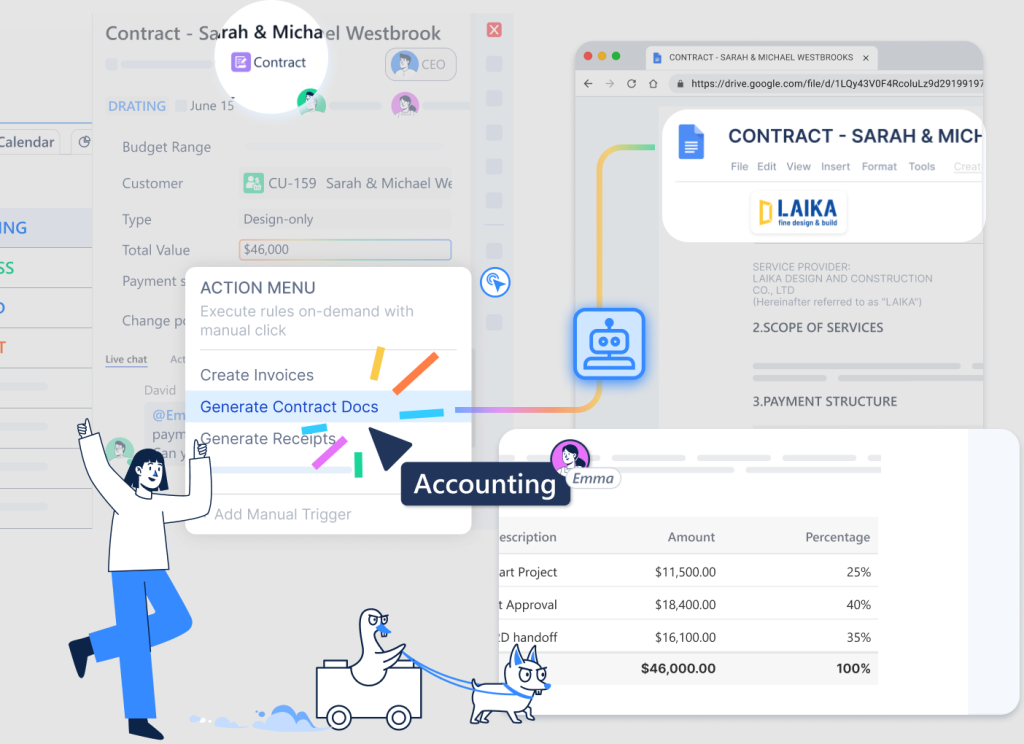
LAIKA automated their entire customer journey with 12 automation rules:
- Lead nurture: When Lead created, wait 2 days, check if Status = New, send follow-up, assign to next available rep using round-robin logic.
- Deal progression: When Deal → Negotiation, create Contract draft, notify legal, pull template based on deal type, auto-populate details.
- Project kickoff: When Deal → Closed-Won, create Project with phases based on service type, assign project manager by workload, create task list, send client welcome, schedule kickoff.
- Milestone invoicing: When Project Phase → Complete, create Invoice for that phase, send to client, notify accounting, update revenue recognition.
- Support escalation: When Ticket unresolved for >48 hours, escalate to senior support, notify account manager, create high-priority Task if technical.
- Renewal tracking: 60 days before Contract end, create Renewal Opportunity, assign to account manager, pull health metrics, suggest pricing based on utilization.
Twelve rules. Sales → Operations → Finance → Support → Renewal. Fully automated.
The Intelligence Layer
Because automation shares the Universal Object foundation, it inherits object capabilities:
- Learns from patterns. Track which automation rules trigger most frequently. “Deal → Closed-Won automation runs 47 times this quarter. Project creation happens automatically within 2 minutes. Zero manual handoffs.”
- Exposes bottlenecks. “Invoice → Overdue automation triggered 23 times last month. 18 of them were for same customer. Payment terms need review.”
- Measures impact. “Automated lead assignment reduced contact time from 4 days to 6 hours. Automated project creation eliminated 90 minutes of manual setup per deal.”
The automation engine doesn’t just execute rules. It provides visibility into automated operations.
When You Need to Reach Beyond
For everything inside Luklak—sales, operations, finance, support—you learn one automation engine. Visual rules. Drag and drop. No retraining as you add functions.
But you still use Stripe for payments. SendGrid for marketing emails. Your accounting team loves QuickBooks. Legacy systems that aren’t going anywhere.
N8N integration opens the door to 400+ external apps through webhooks and HTTP requests. Send data out. Receive data in. Connect Luklak automation to anything with an API—without leaving the visual workflow builder or maintaining separate middleware subscriptions.
Internal automation: One Luklak engine. External connectivity: 400+ apps. No relearning new automation tools as your business grows.
What Disappears
Several operational rituals simply vanish:
- Manual handoffs. Sales doesn’t email operations about closed deals. The automation creates the project automatically with full context.
- Status update requests. “What’s the status?” becomes unnecessary when automation keeps related objects synchronized. Customer record shows real-time project status automatically.
- Follow-up reminders. Humans don’t track overdue invoices or upcoming renewals. Automation handles time-based triggers, notifying the right person at the right moment.
- Cross-system reconciliation. No weekly meetings to ensure CRM matches project tool matches finance system. They’re the same system. Automation keeps everything consistent.
Why This Architecture Matters
For operators: Build the automation you need. One visual rule spans sales, operations, finance. No integration APIs to manage.
For IT: Zero automation maintenance. No middleware subscriptions. No broken integrations to debug. Automation is native to the platform.
For executives: Operational intelligence becomes visible. See which automations run, how often, where bottlenecks occur. Optimization opportunities emerge from automation analytics.
When automation shares the same foundation as your data, workflows, and relationships—cross-functional processes automate natively. Sales triggers operations. Operations updates finance. Support escalates to engineering. No middleware required.
That’s Universal Automation. One engine. All functions. Zero friction.
Next in the series: Workviews & Dashboards — How to visualize work in any format without rebuilding the same data.
