Why Your Work Objects Should Come With Process Built In
TL;DR: Separate workflow tools force you to mirror your work elsewhere. Universal Workflow embeds process directly into every object—so your sales pipeline, project stages, and support queues share the same automation engine.
Your sales team tracks deals in the CRM. Your operations team manages projects in a project tool. Your support team triages tickets in a helpdesk.
Each tool has its own workflow system. Each one requires separate configuration. Each one speaks a different automation language.
When a deal closes, someone manually creates the project. When the project hits a milestone, someone manually updates the customer. When support escalates an issue, someone manually creates the task. Your team doesn’t work across three workflow engines because they want to—they do it because the tools force them to.
The Workflow Tax
Traditional business software treats workflow as an afterthought—a feature bolted onto static data tables.
You get a CRM that stores customer records. Then you get a separate “workflow module” to move deals through stages. The workflow system sits on top of your data, not inside it.
The problems compound:
- Configuration drift. Your CRM workflow works differently than your project workflow. Different triggers. Different actions. Different automation syntax.
- Integration overhead. Want the sales workflow to trigger the operations workflow? Write custom integration code. Debug when it breaks. Pay for middleware.
- Duplicated logic. The same approval process lives in three places with three different configurations. Change the business rule? Update it everywhere.
- Limited scope. Workflows can only see the data in their own system. Cross-functional automation requires external tools like Zapier—at $30+ per 1,000 tasks.
Process as Core Architecture
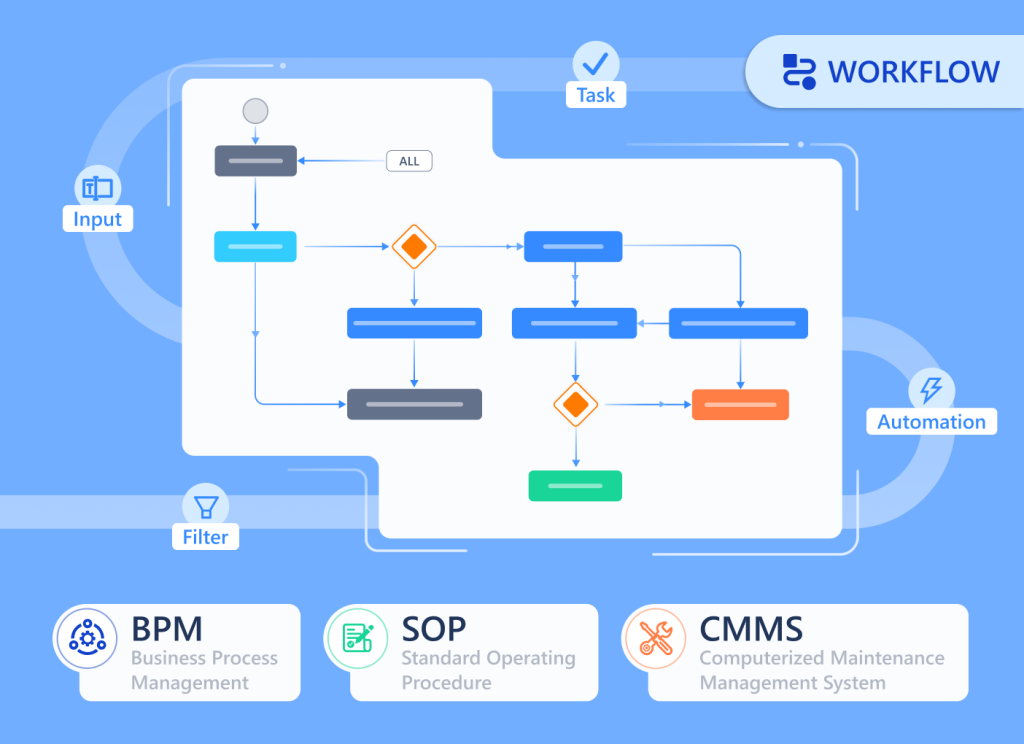
Universal Workflow flips this model. Instead of bolting workflow onto data, Luklak embeds workflow directly into every Universal Object you create.
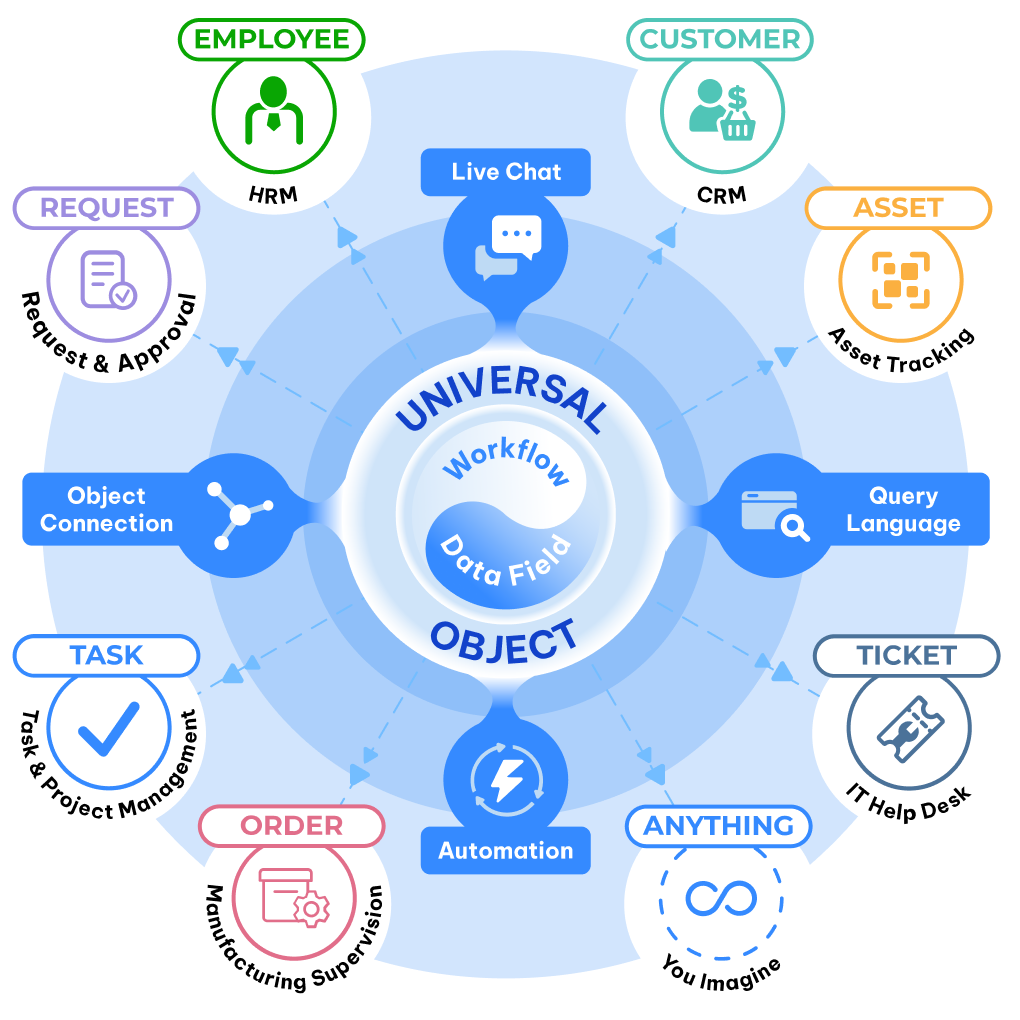
When you build a “Customer” object, workflow stages come built in. When you create a “Project” object, process automation is already there. When you design a “Support Ticket” object, status progression is native.
This means:
Every object type you create automatically includes:
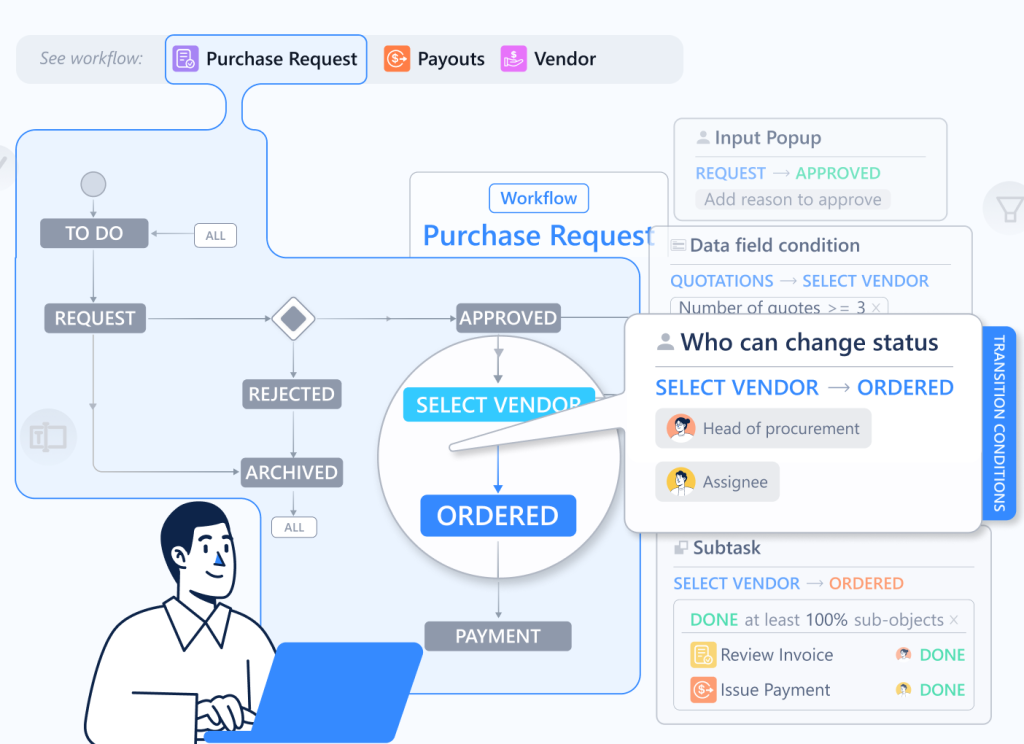
- Visual workflow stages — Define how objects move through your process
- Drag-and-drop interface — Move work items between stages with one click
- Status tracking — Every object knows exactly where it is in the process
- Stage-based automation — Trigger actions when objects enter or leave stages
- Cross-object workflows — One workflow can span multiple object types seamlessly
The workflow engine isn’t a separate tool. It’s part of the Universal Object foundation.
How It Actually Works
Let’s walk through LAIKA’s implementation.
Marketing creates a campaign object. It has stages: “Planning → Active → Completed → Analyzed.” When a campaign moves to “Active,” Universal Automation notifies the sales team and creates connected Lead objects for incoming inquiries.
Sales works with Lead objects. Their workflow: “New → Contacted → Qualified → Proposal → Negotiation.” When a lead reaches “Qualified,” the system automatically:
- Creates a Deal object (separate workflow: “Negotiation → Legal Review → Closed-Won/Lost”)
- Assigns the deal to the appropriate account executive based on deal size
- Notifies the finance team to prepare contract templates
Deal closes. The moment it hits “Closed-Won”:
- A Project object is created automatically (workflow: “Kickoff → Design → Build → Review → Delivery”)
- The project inherits all customer context from the deal
- Task objects are generated based on project type (each with their own workflow)
- The operations team gets notified with full context—no manual handoff needed
Project progresses through stages. When the project moves to “Review”:
- Client Success team gets automatically assigned
- An Invoice object is created (workflow: “Draft → Sent → Paid → Closed”)
- The finance system updates revenue recognition
- The customer sees project status change in their portal
Four different object types. Four different workflows. Zero integration code.
Because every workflow is built on the same Universal Workflow engine, they compose automatically. Sales workflows trigger operations workflows. Operations workflows create finance workflows. Support workflows update project workflows.
The Visual Process Design
Here’s what makes Universal Workflow different from traditional state machines or business process management systems:
- Stages are declarative. You define stages as clear milestones: “Lead → Qualified → Negotiation → Closed.” Not complex state diagrams with dozens of conditional branches. Just the natural progression of work.
- Movement is visual. Drag an object from “In Progress” to “Review.” The workflow engine handles everything that should happen when that transition occurs. No clicking through menus. No filling out transition forms.
- Automation is stage-triggered. “When a deal enters Closed-Won, do these five things.” Not “when field X changes to value Y and condition Z is met.” The stage transition is the trigger. The complexity hides behind simple milestones.
- History is automatic. Every stage transition is logged with timestamp and user. You can see exactly how any object moved through its workflow. No manual status updates in comment fields.
Cross-Functional Workflow Without Integration
Traditional tools make cross-functional workflows painful. You’re working across separate systems with separate workflow engines.
Example: A support ticket escalates to a bug, which blocks a feature request, which delays a project, which impacts a customer contract.
With separate tools:
- Create the bug manually in the dev tracker
- Link it manually to the feature request
- Update the project timeline manually
- Email the account manager manually
- Update the contract status manually
With Universal Workflow & Automation:
- Support creates a Bug object from the ticket (one click)
- The bug automatically links to the related Feature Request object
- The feature request’s workflow triggers: “When linked bug is created, move to Blocked status”
- The project workflow watches feature requests: “When feature enters Blocked, update project timeline”
- The customer contract workflow monitors project timeline: “When delay > 7 days, notify account manager”
One workflow engine. Multiple object types. Automatic composition.
Stage-Based Intelligence
Because every object knows its workflow stage, you can build intelligence on top:
- Time in stage. How long has this deal been in “Negotiation”? Universal Workflow tracks automatically. Set thresholds: “If in stage > 14 days, escalate.”
- Stage velocity. Which leads move fastest from “Contacted” to “Qualified”? Which projects get stuck in “Review”? The data is native—no external analytics needed.
- Bottleneck detection. Twenty projects piled up in “Design” stage? The dashboard shows it immediately. You’re not waiting for a weekly report.
- Conversion rates. What percentage of leads make it from “Qualified” to “Closed-Won”? Universal Workflow calculates this across any object type—customers, projects, tickets, anything.
What You Get Out of the Box
When you create any object type in Luklak, Universal Workflow gives you:
- Kanban views. See your workflow visually. Drag objects between stages. Filter by assignee, due date, or custom fields.
- List views. Traditional table layout grouped by stage. Sort, filter, and bulk-edit objects.
- Timeline views. Plot objects across time to see how work flows through stages. Identify bottlenecks and capacity constraints.
- Workflow automation. Stage transitions trigger actions: send notifications, create connected objects, update fields, call external APIs.
The Workflow That Scales
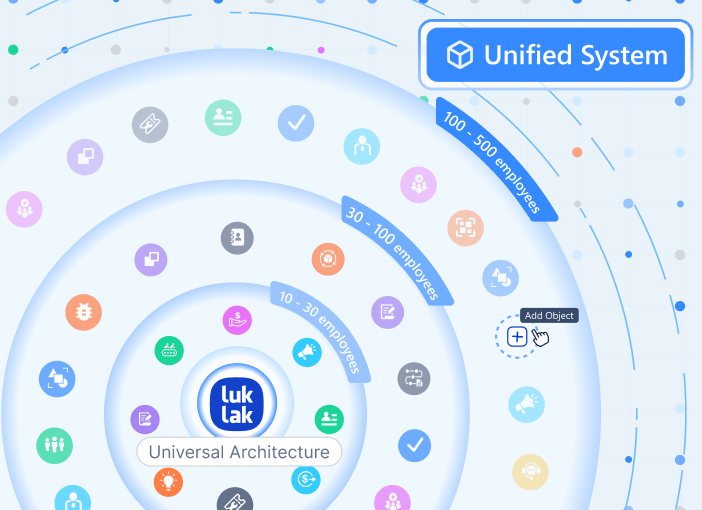
Start with three stages. Grow to thirteen. The engine doesn’t change.
LAIKA began with simple workflows: “New → In Progress → Done.” As their operations matured, they added nuance: “Kickoff → Design Draft → Client Review → Revision → Final Design → Construction → Inspection → Delivered.”
The workflow engine scaled seamlessly because it’s not a separate configuration layer—it’s built into the object architecture.
Why This Architecture Matters
- For operators: Work happens in one place. The workflow follows the work object. No separate tool to configure. No manual status updates across systems.
- For managers: Real-time visibility into process flow. See bottlenecks immediately. Measure cycle time natively. Optimize workflows without extracting data.
- For executives: One workflow engine across all functions. Sales, operations, support, finance—all using the same automation architecture. Consistent process data. Unified reporting.
When workflow is built into your objects—not bolted on top—your processes compose automatically. Sales triggers operations. Operations updates finance. Support escalates to engineering. No integration middleware. No workflow translation. Just native process automation across everything you build.
That’s Universal Workflow.
Next in the series: Data Fields & Formulas — How to capture any information structure without database design.